Guides
Threads: adapting the same content across several accounts
How Threads, tied to Instagram, handles reposts, what its original-content priority means for promo accounts, and the method for adapting one visual without duplicates.
9 min read · Updated November 11, 2026
By Steven S. · Founder of Klypsed
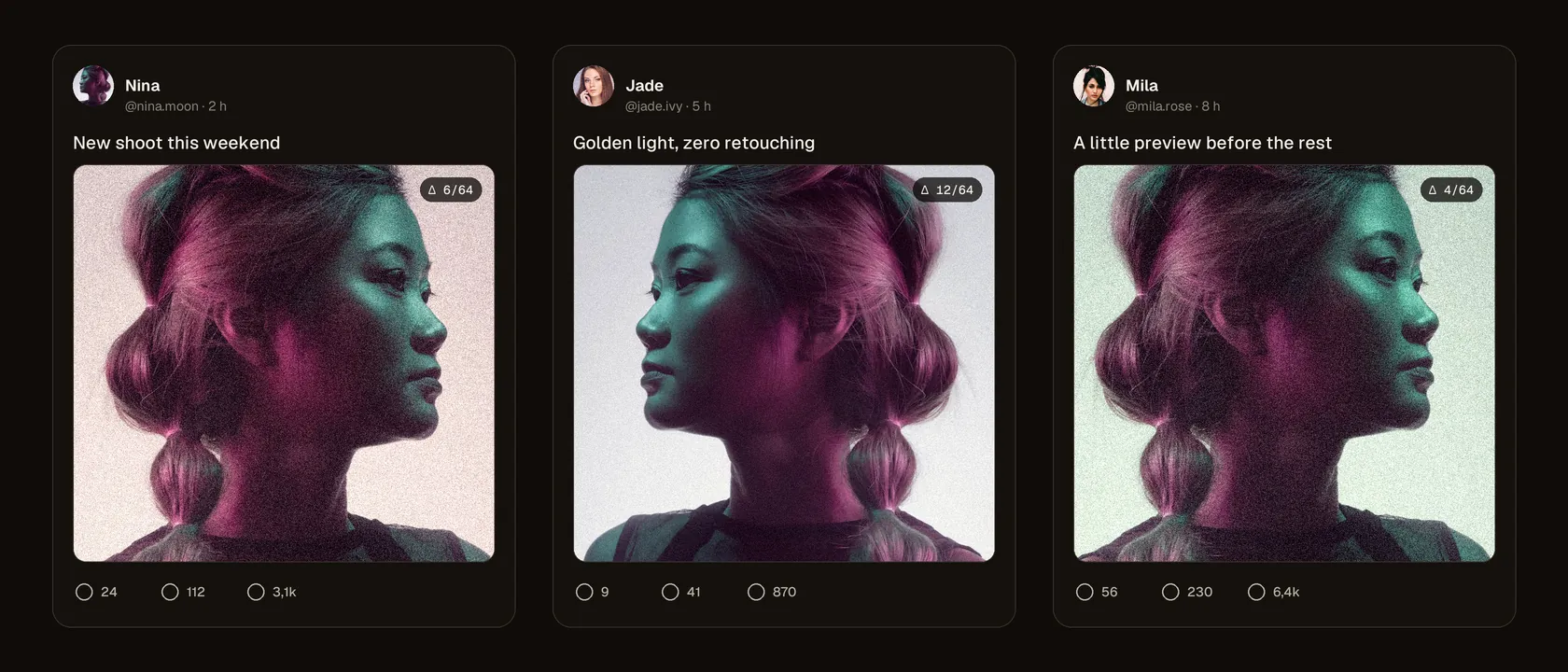
Threads grew fast as the text-and-image space of Meta’s ecosystem. For an OFM creator or agency, it’s a complementary traffic channel, less saturated than X in some markets. But Threads shares Instagram’s infrastructure and much of its rules, and reposting as-is across several accounts runs into the same limits.
Threads is tied to Instagram
Every Threads account is linked to an Instagram account: identity, history and trust signals flow between the two. The original-content priority Meta announced in 2024 for Instagram applies in the same spirit to Threads: the “For you” recommendation feed surfaces posts judged original and useful, and is cautious with content recognised as already posted elsewhere.
For promo accounts this means the same media posted as-is across several profiles will be matched by fingerprint and distributed sparingly. The Instagram–Threads link adds a layer: behaviour judged problematic on one can weigh on the other.
How a duplicate is recognised
- Perceptual fingerprint of the media attached to the post, unaffected by renaming and re-encoding.
- Identical text repeated across several accounts, a classic sign of automated posting.
- Cross-account signals inherited from Instagram: new accounts, burst posting, no audience of their own.
The fingerprint mechanism is the same as across the rest of the ecosystem; we explain it in the perceptual fingerprint, explained simply. The signs of reduced reach are covered in shadowban and reposting across multiple accounts.
Adapting content for several Threads accounts
- A genuinely different media per account: slight crop, mirror, speed, audio pitch, light and grain, with a measured fingerprint distance. That’s what Klypsed does, in a batch and locally.
- Rewrite the post text for each account: angle, tone and call to action specific to each audience.
- Get the image format right (vertical or square depending on the visual) and avoid any other platform’s watermark.
- Space out your posts and let each account interact (replies, reposts) instead of broadcasting in bulk.
The full method, valid across every network, is described in posting one video across several accounts. To produce the variants without uploading anything, download Klypsed.
What changes compared with Instagram
- Text first. A Threads post runs up to 500 characters; the image or video accompanies it rather than carrying it.
- One topic per post. Threads replaces hashtags with topics, one per post: pick it for each account.
- Conversation. Replies and quotes matter a lot: an account that only broadcasts struggles to grow.
A pace that suits Threads
Threads rewards a regular, conversational presence more than a volume of media. A few posts a day, some without media, plus replies to comments, beat a string of visuals posted back to back on every account.
Only post content you own the rights to, with the consent of the people filmed, and follow the terms of use of Threads and Instagram, including their rules on AI-generated content and on running several accounts. No tool guarantees a post’s reach or “gets around” moderation: distribution also depends on account behaviour and reports.
In short
Threads inherits Instagram’s infrastructure and rules: priority goes to original content, and a media posted as-is across several accounts is recognised and barely distributed. Give each account its own version — a genuinely different media and rewritten text. Klypsed produces those variants in a batch, locally, with the measured distance.
Frequently asked questions
Can you post the same photo on Instagram and Threads?
Yes, for the same account: Meta supports sharing from Instagram to Threads. It’s between different accounts that an identical copy becomes a problem.
How many characters can a Threads post have?
Up to 500 characters, plus images, videos or a link.
Do hashtags work on Threads?
Threads uses topics rather than hashtags, one topic per post. Choose it based on each account’s audience.
Can a problem on Instagram affect Threads?
The two accounts are linked and share trust signals. Meta doesn’t detail the mechanism, but behaviour judged problematic on one can weigh on the other.